Georgi Ker's PyCon SG 2026 Keynote: "So Kiasu, Still Kena Replaced by AI?"
2026-06-20
Translations: jaYesterday morning at PyCon Singapore 2026, Georgi Ker took the stage for the opening keynote. She titled it "So Kiasu, Still Kena Replaced by AI?" — a question so perfectly Singaporean that no one laughed because they knew she was not joking (not laughing at a joke is also very Asian).
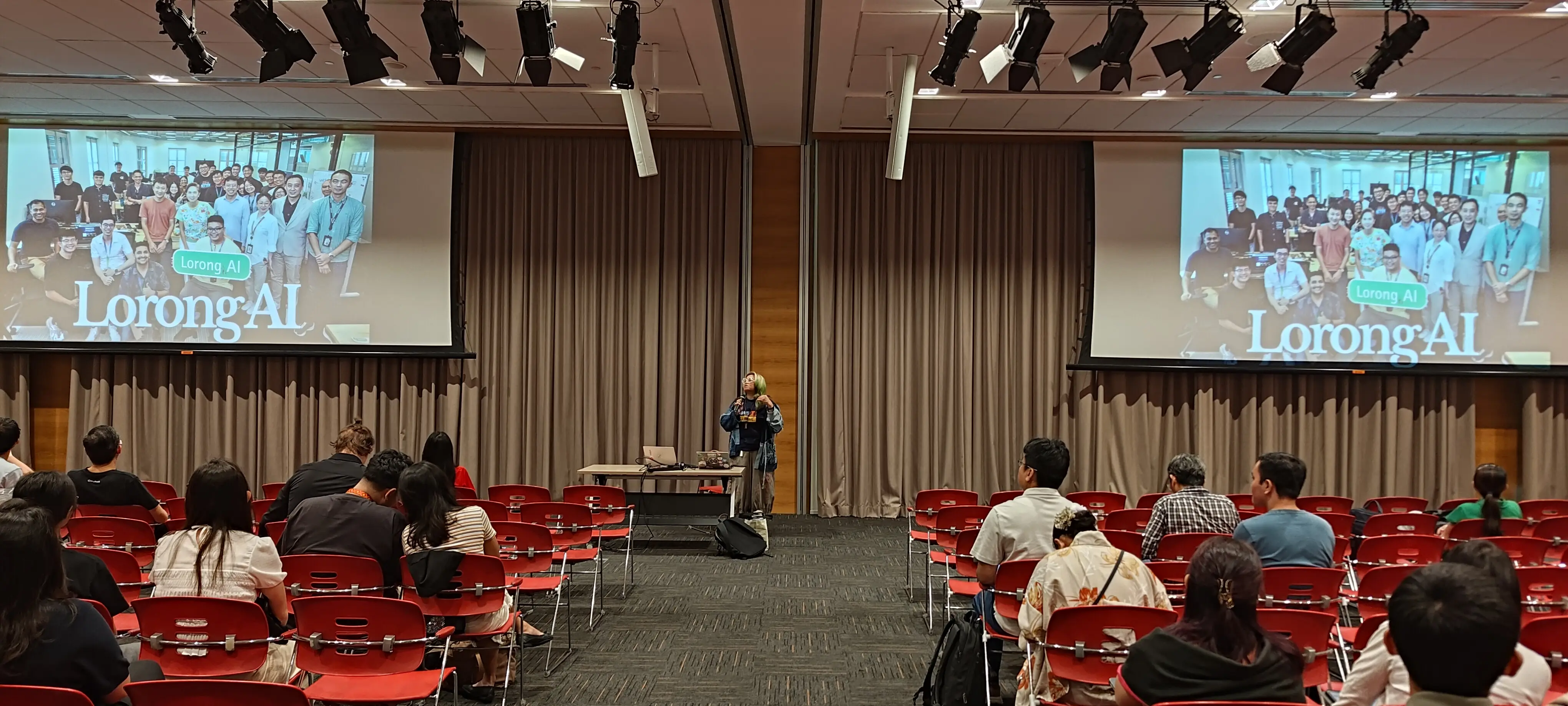
Georgi is Vice-Chair of the Python Software Foundation. She is also, by her own admission, not a professional programmer. She learned Python by making a lot of mistakes. Like, a lot. That she sits on the board of the organization stewarding the world's most popular programming language is itself a testament to the very argument she was about to make: merit does not arrive through gatekept certificates. It arrives through openness, community, and the willingness to keep learning in public.
The Singapore Education Trap
Georgi opened with her own biography: a Singaporean who went through the national education system, found herself forced to teach inside it, and eventually left, disillusioned. She described a system that pushed syllabi forward regardless of whether students understood what they had just been taught. She cited her own research: up to 90% of the students she taught could not grasp the material, yet the curriculum marched on because that was what the system demanded.
This is the kiasu ethos at its most destructive. Kiasu — that wonderful Singlish term for the fear of losing out — was originally a competitive survival instinct. In an education context, however, it calcifies into a conveyor belt that values completion over comprehension, credentials over curiosity. Students memorize. Teachers rush. Parents panic. And everyone is so afraid of falling behind that nobody stops to ask whether the race itself still leads anywhere.
Georgi's point was sharp: AI is not the cause of this crisis. It is a mirror. The technology simply reflects how brittle the system has become. When large language models can summarize a textbook faster than any student can read it, the response from policymakers has been to throw AI tools at schools and declare students "AI-ready." But Georgi kept returning to a harder question: how? How do you use AI wisely? How do you teach judgment instead of obedience? How do you turn a tool that generates answers into an environment that teaches students to ask better questions?
What Open Source Teaches Us About Open Learning
To answer that, Georgi pivoted to the thing the room already loved: Python.
Python, she argued, did not become the world's most-used programming language because it was perfect. It became dominant because it was approachable. Guido van Rossum designed it to be easy to read, easy to share, and easy to teach. Nobody stops you from translating a tutorial, running a workshop, or improving a library you think is broken. The PSF itself grew not as a control tower but as infrastructure — handling trademarks, PyPI, conferences, grants, and codes of conduct so that the core developers could focus on the language. Governance served the community; the community did not serve the governance.
Georgi asked a provocative question: what if schools looked more like open source?
In open source, process counts more than pedigree. You show your drafts. You share your prompts. You defend your commits. You iterate in public. Georgi proposed exactly that for classrooms: make AI use transparent instead of treating it like cheating. Teach oral defense, not silent worksheets. Make students explain how they arrived at an answer, critique weak reasoning, and revise in the open. The goal is not to produce flawless output; the goal is to produce students who know how to think when the output is flawed.
It is a compelling analogy, and one that rings true for anyone who has watched a first-time contributor grow into a maintainer. The Python community has been running this experiment for three decades. We just never framed it as pedagogy.
The Generation Gap Is Real, And It Is Structural
After the keynote, Georgi and I spoke in the hallway with a small group that lingered. One thread kept pulling: the people designing education policy are from a generation that does not understand the generation that must live inside it.
Our small group discussed it bluntly. The Singapore government — like many others — announces plans to "throw in all the AI" without specifying the pedagogical mechanics. The how is missing because the policymakers themselves did not grow up with large language models. Their mindset is "that worked for me." But what worked for Gen X — gated information, rigid respect for hierarchy, a single canonical path from school to career — is precisely what collapses when information becomes frictionless and Gen Z starts questioning everything.
During our conversation, I found myself pushing back on the word "culture." Culture is often invoked as an explanation — "Japanese culture is like this, Malaysian culture is like that" — and then the conversation ends because culture feels immutable. But as my friend Swee Meng (a fellow PSF Fellow) once pointed out to me, what we call culture is often downstream of the economic system. Singapore's education culture is the way it is because it was engineered by a government optimizing for national economic survival at a specific historical moment. That design served a purpose in the 1970s and 1980s. It is not serving the Alpha generation, who will never know a world without LLMs.
The insight that landed hardest was this: the system is stuck not because Singapore lacks talent, but because the generation with decision-making power built a system optimized for their own youth. Reforms move slowly because reformers still think in syllabi.
The Speed Trap and the Art of Looking Smart
Our discussion wandered into corporate life, and someone shared a story that has lodged in my brain. A banker friend now lives inside an AI workflow that looks something like this: receive a hundred-page PDF, run it through summarization, receive a summary, generate an email response, receive the counterparty's reply, summarize that too, pick a templated response, repeat. At appraisal time, he is judged against teammates who managed fifteen items per quarter while he only managed five. The rational incentive, therefore, is to process faster. Read less. Think less. Summarize more. Appear productive.
The result? He described it himself: "I don't know if I'm faking work or something."
Worse, during a global town hall, he fed the real-time transcript into an LLM and asked it to generate a question that would make him look smart. The AI complied. He asked it. The boss praised it. Everyone moved on.
This is the dark mirror of Georgi's education argument. If schools teach students to optimize for the appearance of understanding — the polished essay, the correct answer sheet, the credential — then AI becomes the perfect accomplice. It generates polished banality at scale. The danger is not that AI replaces thinkers. The danger is that organizations reward the semblance of thinking until no one remembers what the real thing looked like.
One of the members in the group suggested "adversarial prompting". Instead of asking an AI to validate your business plan, ask it to perform a post-mortem. Tell it the plan failed. Watch how quickly it flips from sycophancy to criticism. That friction — that deliberate discomfort — is where actual learning lives. It is the oral defense, but applied to silicon.
What Remains Uniquely Human
Georgi closed her keynote with a line that felt almost devotional: "What remains uniquely human is when you have the ability to help another person. Not another machine."
AI can replace tasks. It cannot replace the act of listening to a struggling learner, sensing what they do not understand, and adjusting your explanation in real time. It cannot replace the scribbled lunch notes of a core developer who overheard a user complaint and quietly started sketching a fix. It cannot replace the community that gathers not because a syllabus demanded it, but because people enjoy hanging out together.
She listed four imperatives for anyone who wants to remain irreplaceable: stay curious, stay empathetic, stay collaborative, and — most importantly — stay human.
I would add a fifth: stay inconvenient. Be the person who actually reads the hundred-page PDF. Be the person who asks the town hall question that the LLM would not have suggested (I just do not know what this will be). Be the person who fixes the motorcycle or the air conditioner when everyone else has automated their way past physical competence. As Georgi also noted, the Alpha generation is already staging a quiet rebellion against fast answers — knitting circles, no-phone days, analog hobbies. They want to feel human because they intuit what the rest of us are still arguing about on panels. The younger generation and the generation before want one thing: Being different, being real and being honest. When knowledge is commoditized, then real experiences make you different.
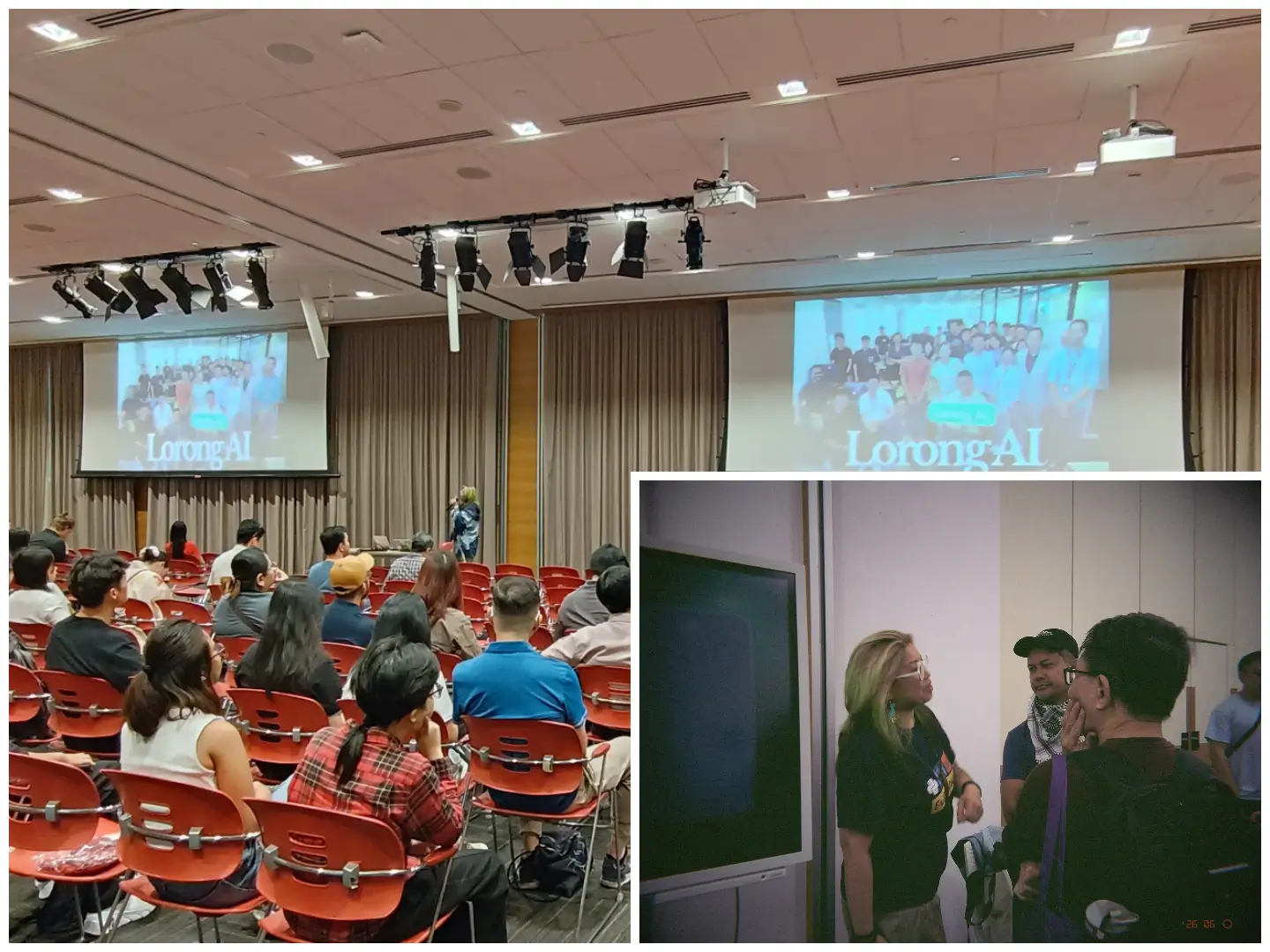
P.S: Thanks Cheuk for the retro picture!
Will You Be Replaced?
Back to the title. So kiasu, still kena replaced by AI?
Georgi's answer was direct. If you continue to operate from fear — fear of falling behind, fear of making mistakes, fear of losing status — you will stop learning. And if you stop learning, you will become replaceable. But if you treat AI as the next chapter rather than the final chapter, if you commit to continuous collective learning, and if you measure your worth by how many people you help rather than how many credentials you collect, then the question answers itself.
The future belongs to learners and helpers. Everything else is just output.
Epilogue
- Georgi also has written her own thoughts on her talk here
- Michelle Sandford, a friend and also was a speaker at PyCon SG reflected on Georgi's thoughts here
Georgi Ker is Vice-Chair of the Python Software Foundation and leads its Diversity & Inclusion work group. She keynoted PyCon Singapore 2026 on 19 June at the Lifelong Learning Institute. You can learn more about the PSF at python.org/psf.
Directory: 2026 Tagged: pyconsg pycon-singapore georgi-ker ai education singapore python keynote
Translations: ja